Configuration
Configure core system settings including currencies, exchange rates, and tax management.
Overview
Configuration settings allow you to manage financial and regional settings that apply across the system. These settings are used in quotations, invoices, and other documents.
Currencies
Manage the currencies your organization uses for business transactions.
Currency Overview
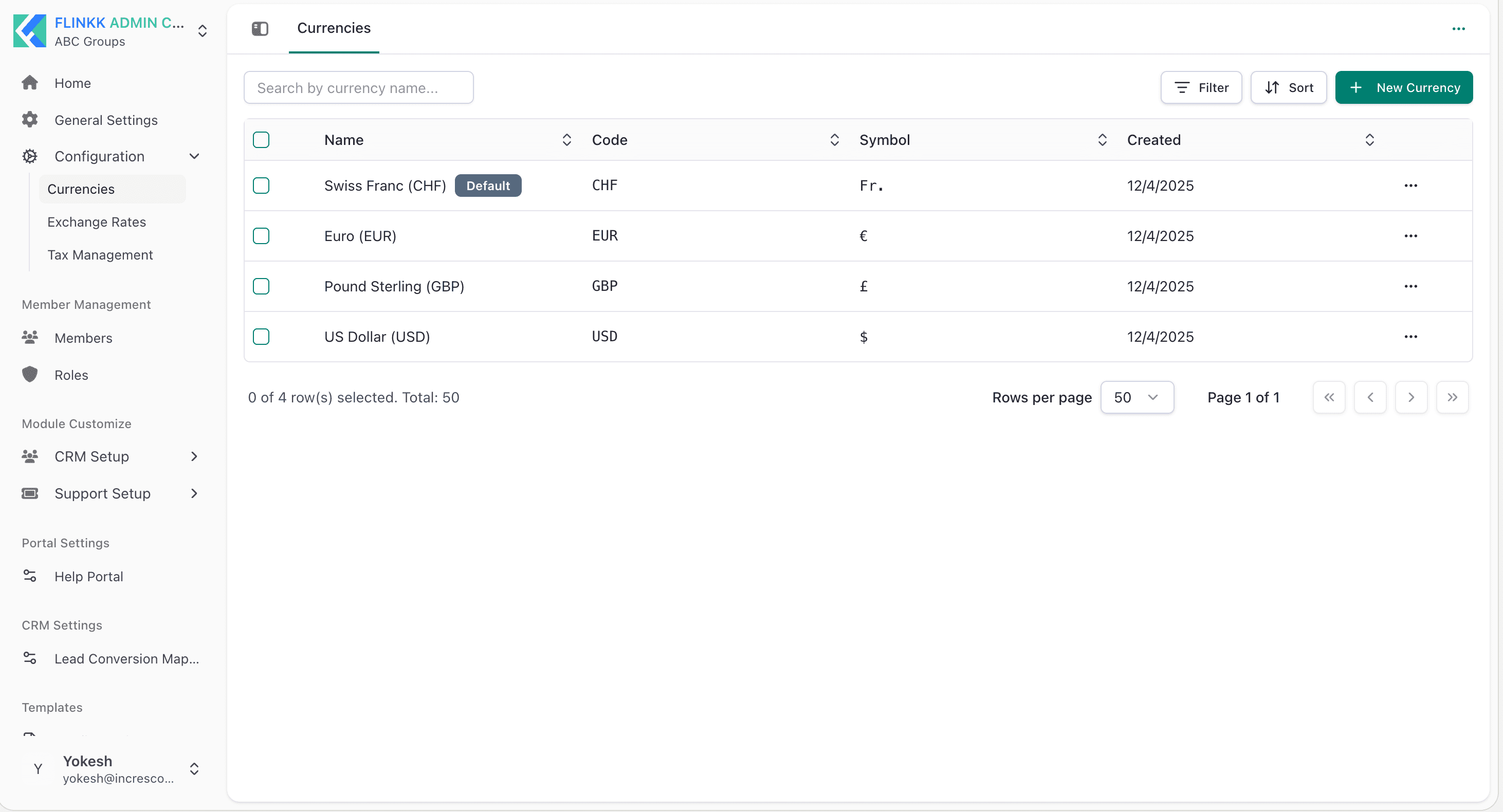
Currencies define the monetary units accepted for quotations, invoices, and payments. The system comes with pre-configured currencies.
Features
- View Currencies - See all available currencies with codes and symbols
- Create Currency - Add new currencies as needed
- Search & Filter - Find currencies by name
- Sort - Organize by different columns
- Set Default Currency - Designate the primary currency for your organization
Currency Fields
- Name - Official currency name (e.g., "Swiss Franc (CHF)")
- Code - ISO currency code (e.g., "CHF", "USD", "EUR")
- Symbol - Currency symbol used in documents (e.g., "Fr.", "$", "€")
- Default - Mark as the primary currency (Swiss Franc is set as default)
Default Currency Setting
The system uses Swiss Franc (CHF) as the default currency. This is the primary currency used when creating quotations and invoices. You can change the default currency to match your organization's primary business currency:
- Go to Admin Center → Configuration → Currencies
- Select the currency you want as default
- Mark it as the default currency
- Save changes
All new documents will use the default currency, though you can override this on individual transactions.
Pre-configured Currencies
- Swiss Franc (CHF) - Symbol: Fr. [Default]
- Euro (EUR) - Symbol: €
- Pound Sterling (GBP) - Symbol: £
- US Dollar (USD) - Symbol: $
Exchange Rates
Manage currency exchange rates for converting between different currencies.
Exchange Rates Overview
Exchange rates define the conversion ratio between currency pairs. This is essential for international transactions and multi-currency quotations.
Features
- View Exchange Rates - See all configured exchange rate pairs
- Create Exchange Rate - Add new rate pairs
- Search & Filter - Find rates by currency name
- Sort - Organize by different columns
- Status Management - Enable or disable rates
Exchange Rate Fields
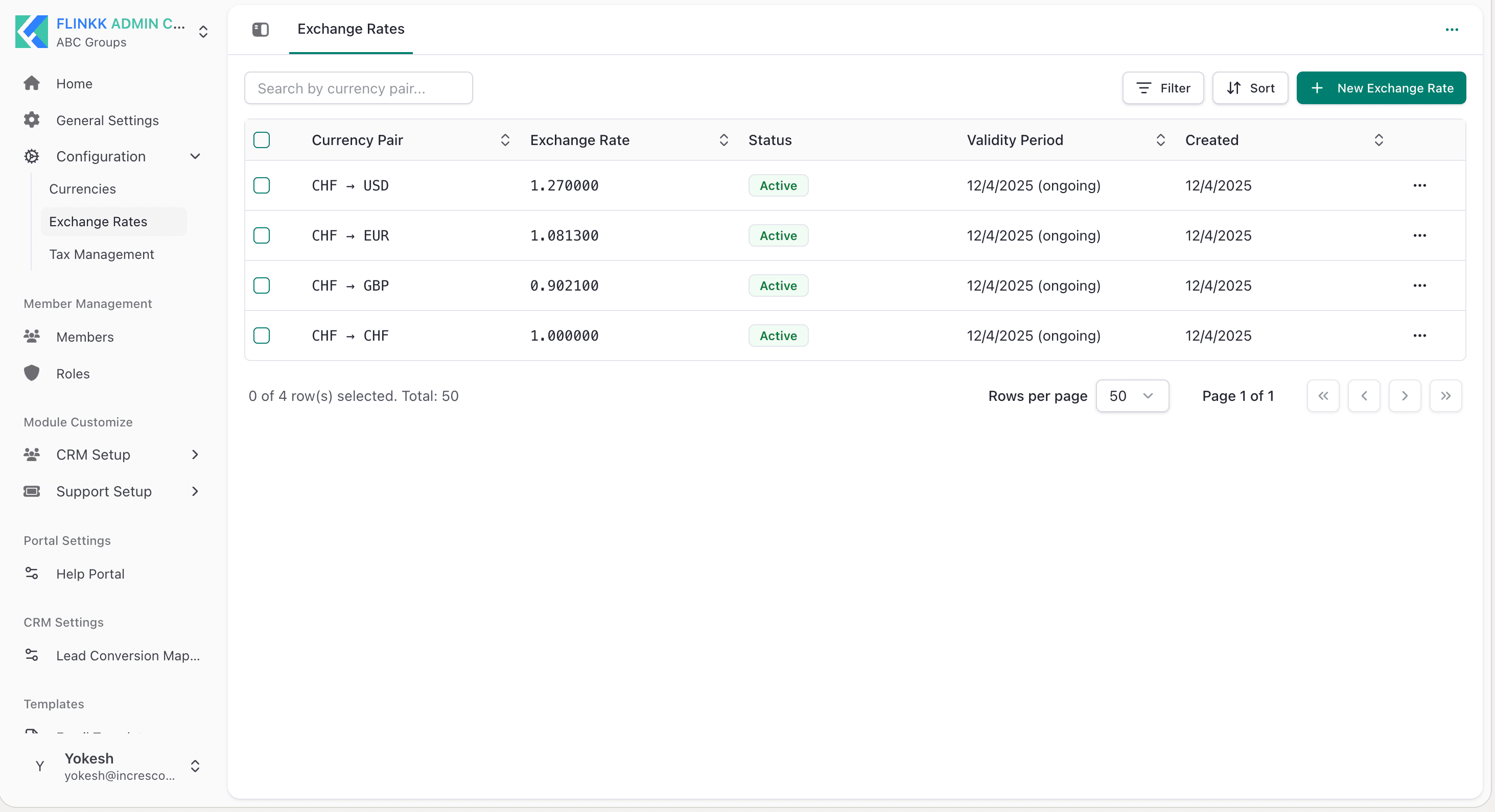
- Currency Pair - Source to target currency (e.g., "CHF → USD")
- Exchange Rate - The conversion ratio (e.g., "1.270000")
- Status - Active or inactive
- Validity Period - Date range for when the rate applies (e.g., "12/4/2025 (ongoing)")
- Created - Date when the rate was created
Pre-configured Exchange Rates
- CHF → USD: 1.270000
- CHF → EUR: 1.081300
- CHF → GBP: 0.902100
- CHF → CHF: 1.000000
Tax Management
Configure tax rules that apply to your quotations and invoices.
Tax Management Overview
Tax management allows you to define different tax rules and rates. These taxes are applied to line items in quotations and invoices based on your configuration.
Features
- View Taxes - See all configured tax rules
- Create Tax - Add new tax configurations
- Search & Filter - Find taxes by name
- Sort - Organize by different columns
- Status Management - Enable or disable specific taxes
Tax Fields
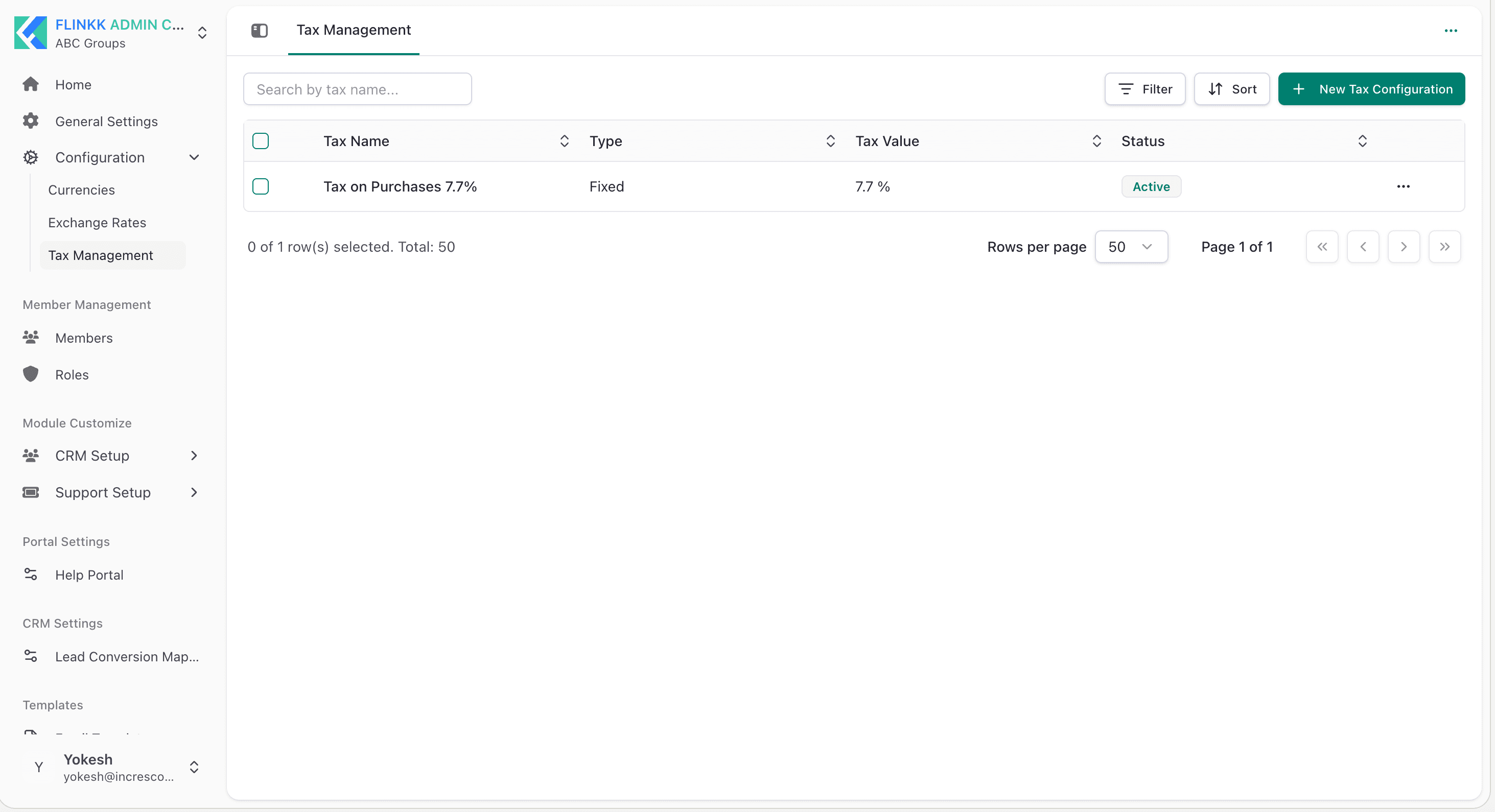
- Tax Name - Descriptive name (e.g., "Tax on Purchases 7.7%")
- Type - Fixed amount or percentage-based
- Tax Value - The rate or amount (e.g., "7.7" for 7.7%)
- Status - Active or inactive
Example Tax Configuration
- Tax on Purchases 7.7% - Fixed type at 7.7% rate, Status: Active
Best Practices
- Set your organization's primary currency as the default
- Keep exchange rates current for accurate multi-currency conversions
- Verify tax rates match your regional compliance requirements
- Maintain accurate currency symbols for proper document formatting