Packages
Packages let you bundle multiple products and services into a single offering at a package price. This streamlines your sales process and helps customers understand complete solutions.
Overview
What are Packages?
Packages are pre-configured product bundles sold together at one price. They combine multiple products and services into comprehensive solutions that provide greater value to customers while simplifying your sales process.
Key Benefits
Packages help you:
- Create standardized offerings - Build consistent solution packages like "Managed Childcare L" or "Professional Services Bundle"
- Speed up quotations - Bundle complex offerings instead of adding items one by one
- Maintain pricing consistency - Ensure uniform pricing across your sales team
- Track performance - Monitor which packages are most popular through usage analytics
- Drive upsells - Offer tiered options to encourage customers to upgrade
- Simplify inventory - Manage bundled items more efficiently
- Boost satisfaction - Provide complete solutions that meet customer needs
Management Interface
- Comprehensive view of all bundled offerings
- Advanced filtering and search to quickly find packages
- Performance monitoring across opportunities and quotations
- Audit trails for all package changes and modifications
Pricing & Flexibility
- Multi-currency support with automatic conversions
- Tax calculations based on your organization's settings
- Flexible discount structures for different business scenarios
- Universal compatibility - works with physical products, services, subscriptions, and B2B solutions
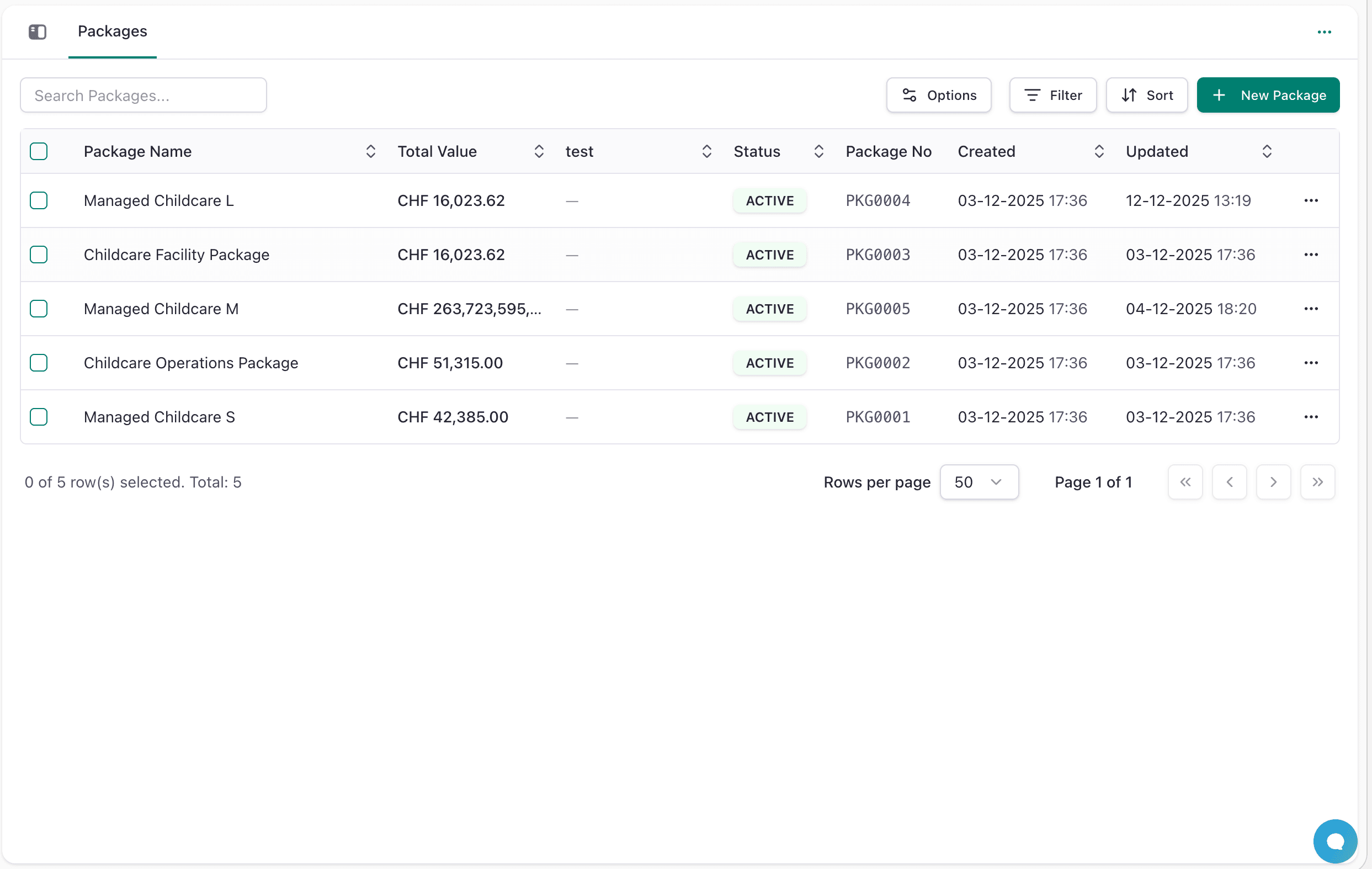
Key Features
- Bundle Products: Combine multiple products/services with quantities and pricing. Each product can be added with specific quantities, allowing for flexible bundle configurations.
- Multi-Currency: Set prices in CHF, EUR, GBP, USD with automatic conversion. The system automatically converts package pricing across all supported currencies based on current exchange rates.
- Bulk Actions: Search, filter, sort, and export packages. Manage large catalogs efficiently with advanced filtering options and export capabilities for reporting and analysis.
- Tax Management: Choose between taxable and non-taxable packages, with automatic tax calculations based on your organization's settings.
- Status Tracking: Monitor package lifecycle with active/inactive statuses and category organization for better management.
Managing Packages
Create a Package
- Go to Sales → Packages
- Click New Package
- Fill in basic info: Name (required), SKU, Status, Category
- Add description using the rich text editor
- Add products/services: Click "Select product...", set quantities
- Set package pricing in base currency (CHF), then use "Convert Pricing"
- Select tax preference (Non-Taxable or Taxable)
- Save
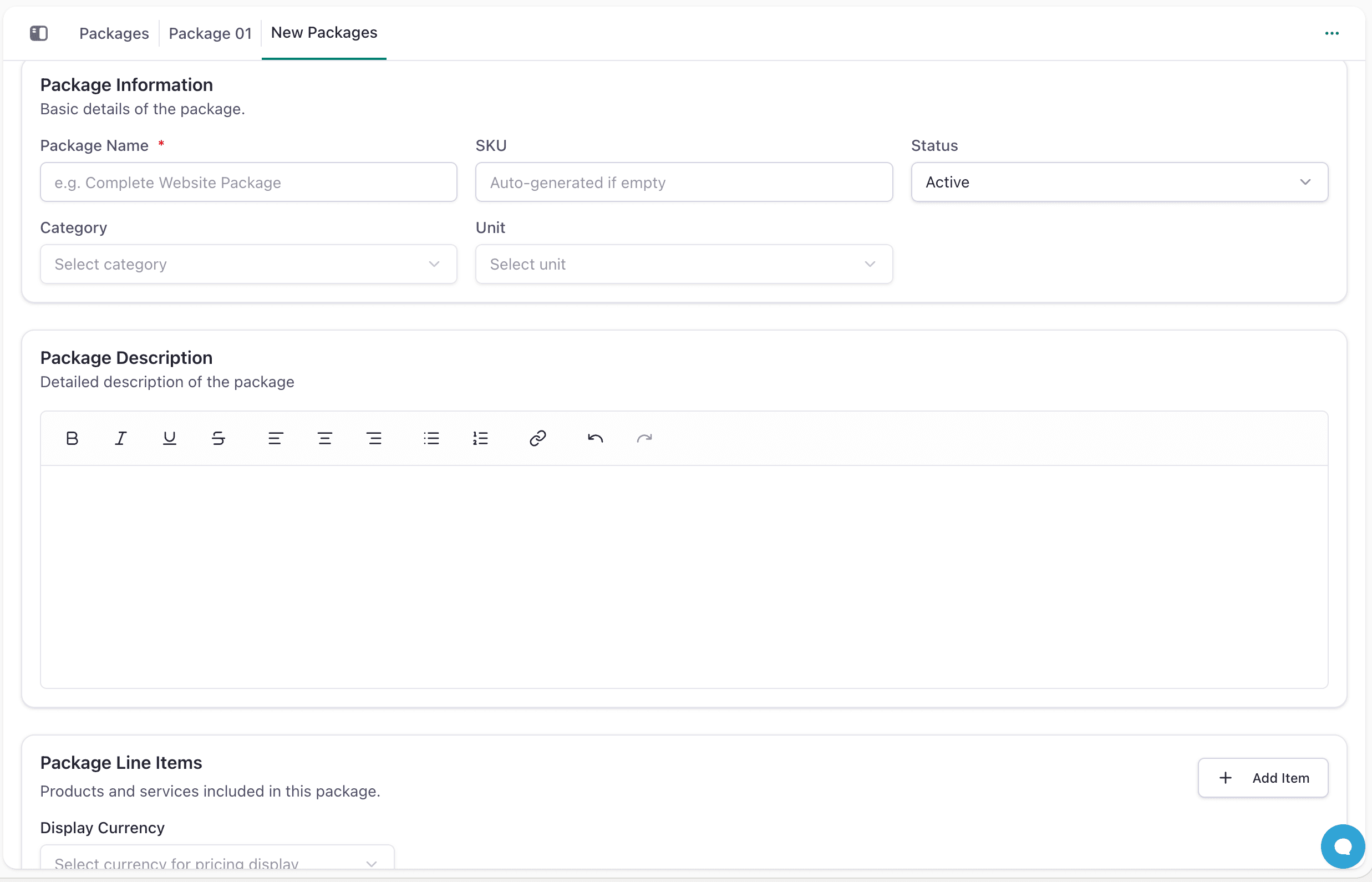
The package creation form allows you to build comprehensive bundles with detailed product selections and pricing configurations.
View/Edit a Package
- Click any package to see 6 tabs: Overview, Pricing, Products, Documents, Relations, Activities
- Click menu (⋯) on a package row to Edit or Delete
- Overview tab shows description and notes
- Detailed Pricing Tab: View all currencies and convert pricing in bulk. This tab provides a comprehensive overview of pricing in every currency, making it easy to manage international sales
- Products Tab: See all items in the bundle with quantities and line totals. This detailed view shows exactly what products are included and their individual contributions to the total package price
- Documents Tab: Attach and manage related documents, contracts, and files associated with the package
- Relations Tab: Track which opportunities and quotations use this package. Monitor package performance and understand which offerings are most popular with your customers
- Activities Tab: Monitor notes and changes to the package. Keep a complete audit trail of all modifications, additions, and updates made to each package
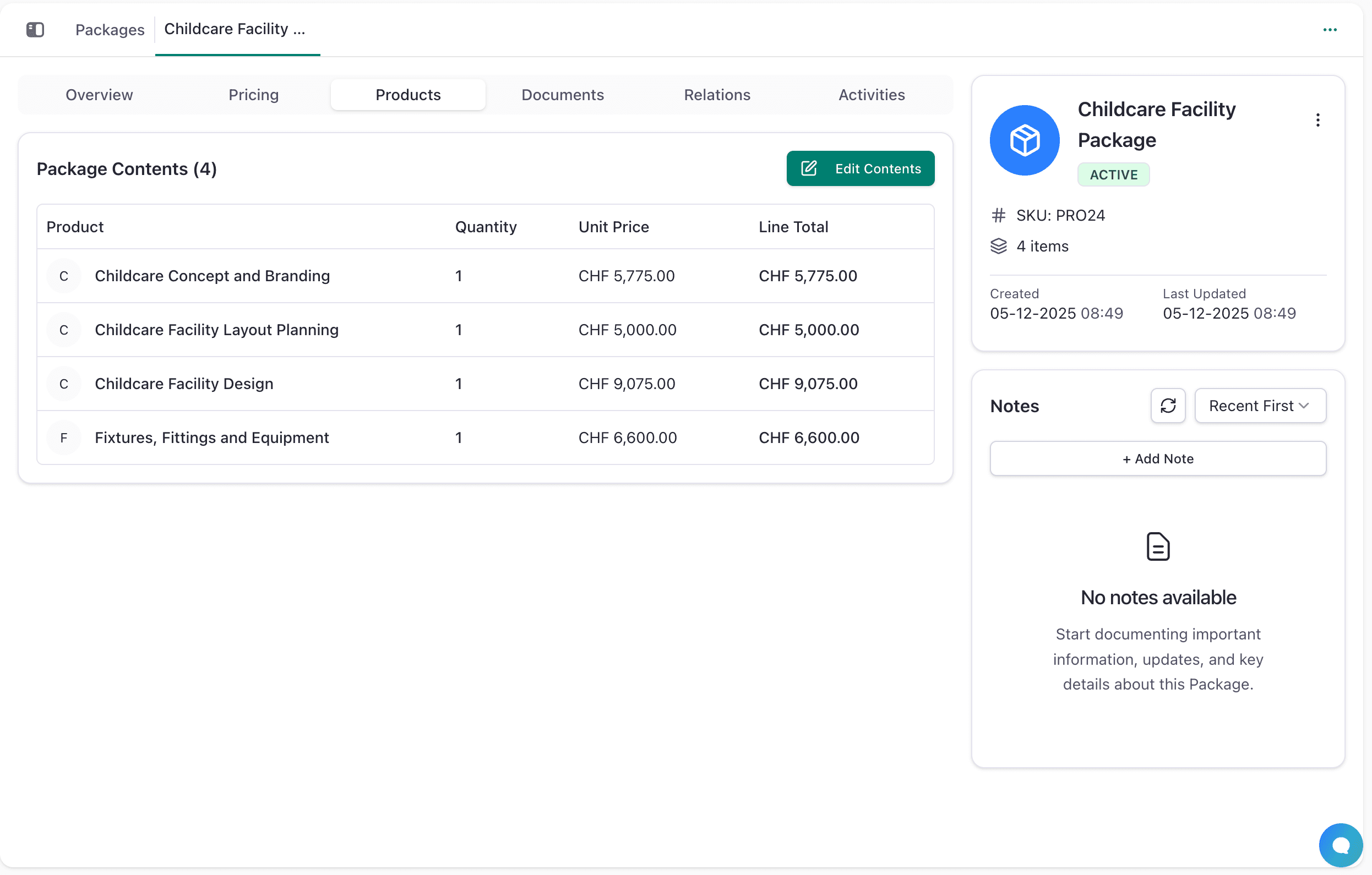
The detailed package view provides comprehensive information across multiple tabs, giving you full visibility into package components, pricing, and usage.
Quick Tips
- Search: Use the search bar to find packages by name
- Filter: Filter by status or category
- Sort: Click column headers to sort (name, total value, status, date)
- Export: Use Options menu to export to CSV
Troubleshooting
Products not showing? - Ensure they exist in your product catalog and are marked active
Pricing not calculating? - Check that unit prices and quantities are entered correctly and no manual overrides are blocking calculations
Currency conversions failing? - Verify multiple currencies are configured in system settings and try clicking "Convert Pricing" again
Best Practices
- Use clear, descriptive names that convey value
- Set package prices 10-20% lower than individual items
- Review and update packages regularly
- Organize packages with categories for easy management
Next Steps
- Create Products - Build your product catalog first
- Build Quotations - Add packages to sales quotes
- Track Opportunities - Monitor package usage
- View Reports - Analyze package performance
- Configure Settings - Set up currencies and taxes