Products & Services
Manage your product catalog, service offerings, and pricing with Flinkk One's comprehensive product management system. Create detailed product profiles, set multi-currency pricing, configure tax rates, and organize your entire inventory in one centralized location.
What are Products & Services?
Products and Services are the items you sell to your customers. In Flinkk One:
- Products - Physical or digital goods you sell (e.g., software licenses, equipment, materials)
- Services - Professional services you provide (e.g., consulting, design work, installations)
Every product/service can have:
- Multi-currency pricing
- Detailed descriptions
- SKU codes for inventory tracking
- Tax configurations
- Purchase information for cost management
- Custom fields for business-specific data
Key Features
- Complete Product Profiles: Detailed records with basic info, descriptions, multi-currency pricing, purchase details, tax settings, and custom fields
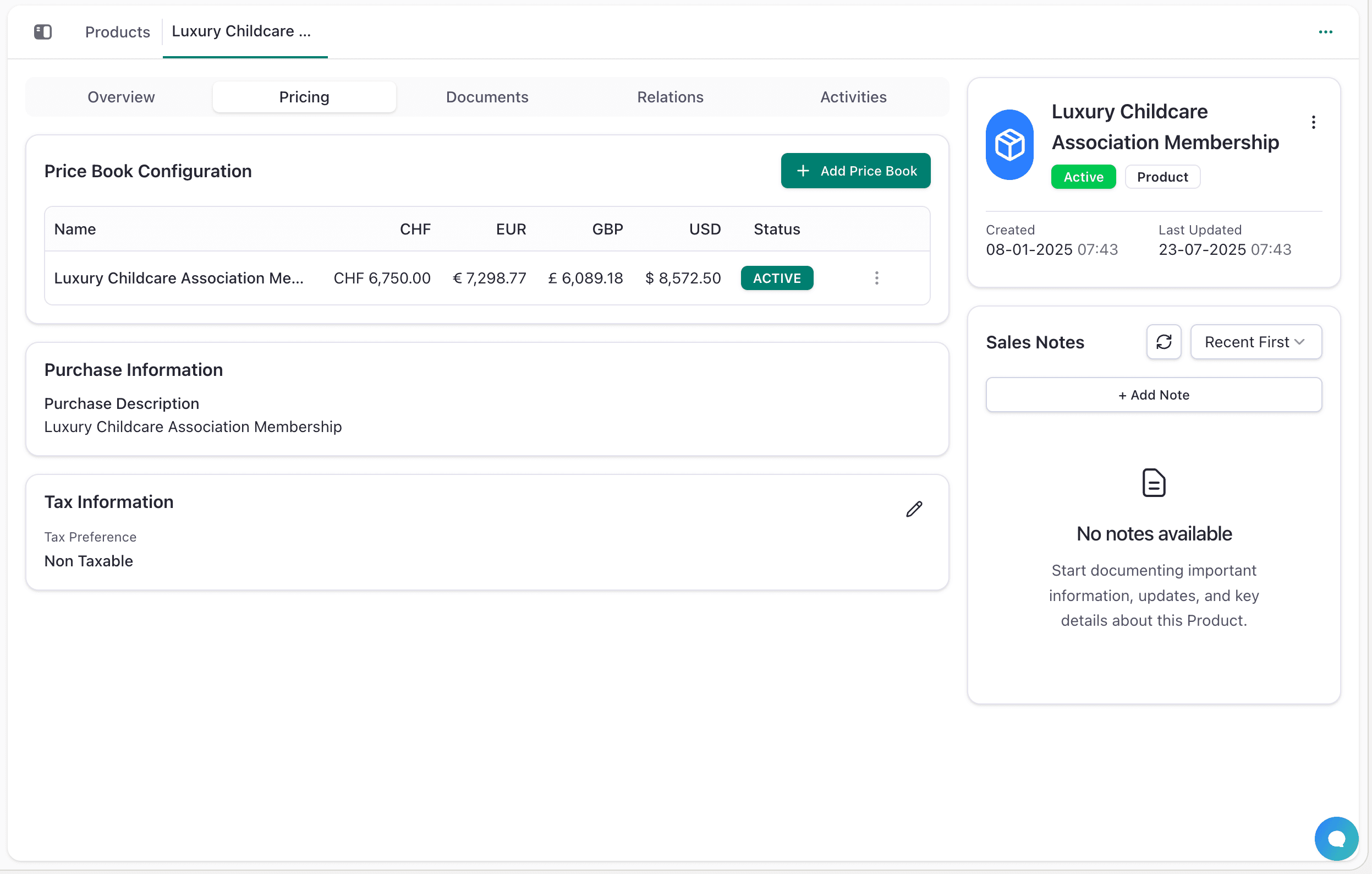
- Multi-Currency Pricing: Prices in CHF, EUR, GBP, USD with automatic conversion and multiple price books for different markets
- Flexible Tax Management: Product-level tax configuration with regional rates, VAT preferences, and separate purchase/sales settings
- Document Attachments: Attach specifications, manuals, certificates, and marketing materials directly to products
Product Workflow
Accessing Products
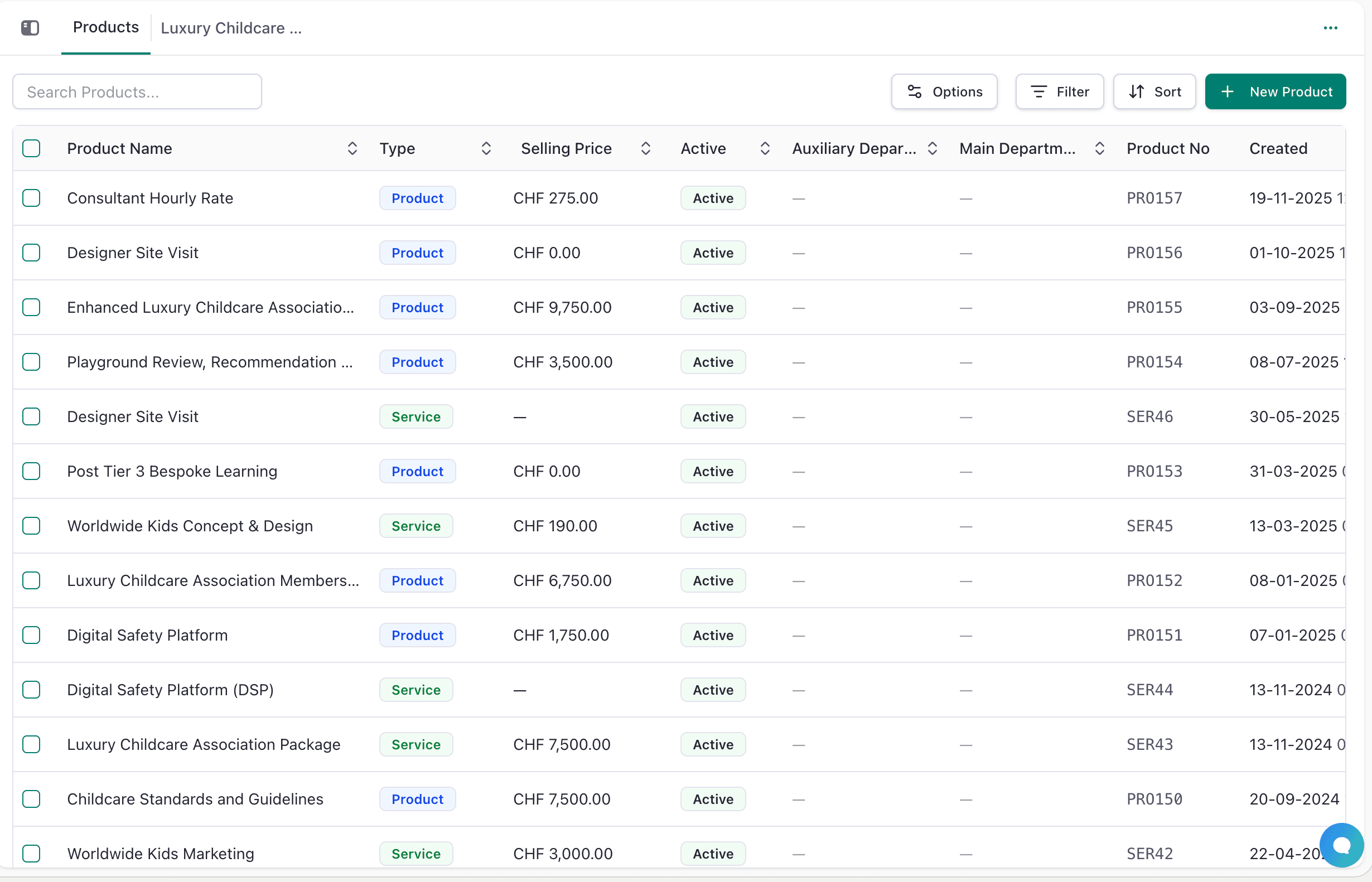
Navigate to Sales Tools → Products from the sidebar menu.
You'll see:
- All Products table view
- Search, Filter, Sort, and Options buttons
- + New Product button
Creating a New Product
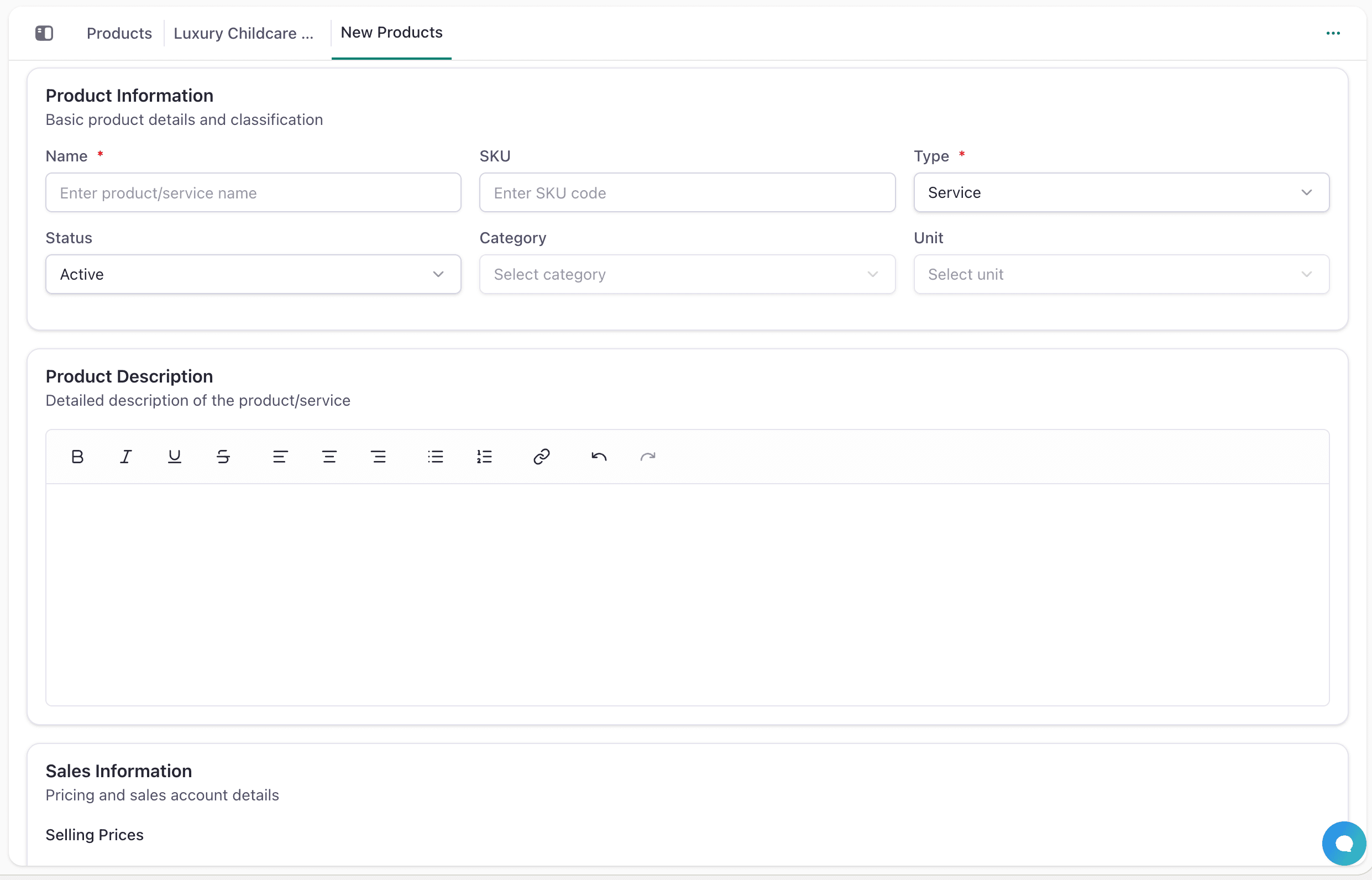
- Click + New Product and fill basic information (name, type, SKU, category, unit)
- Add description using the rich text editor
- Configure pricing for multiple currencies and tax settings
- Set purchase details (cost price, vendor, account)
- Add any custom fields as needed
- Click Create Product to save
Product Detail View
Click on any product to access detailed information:
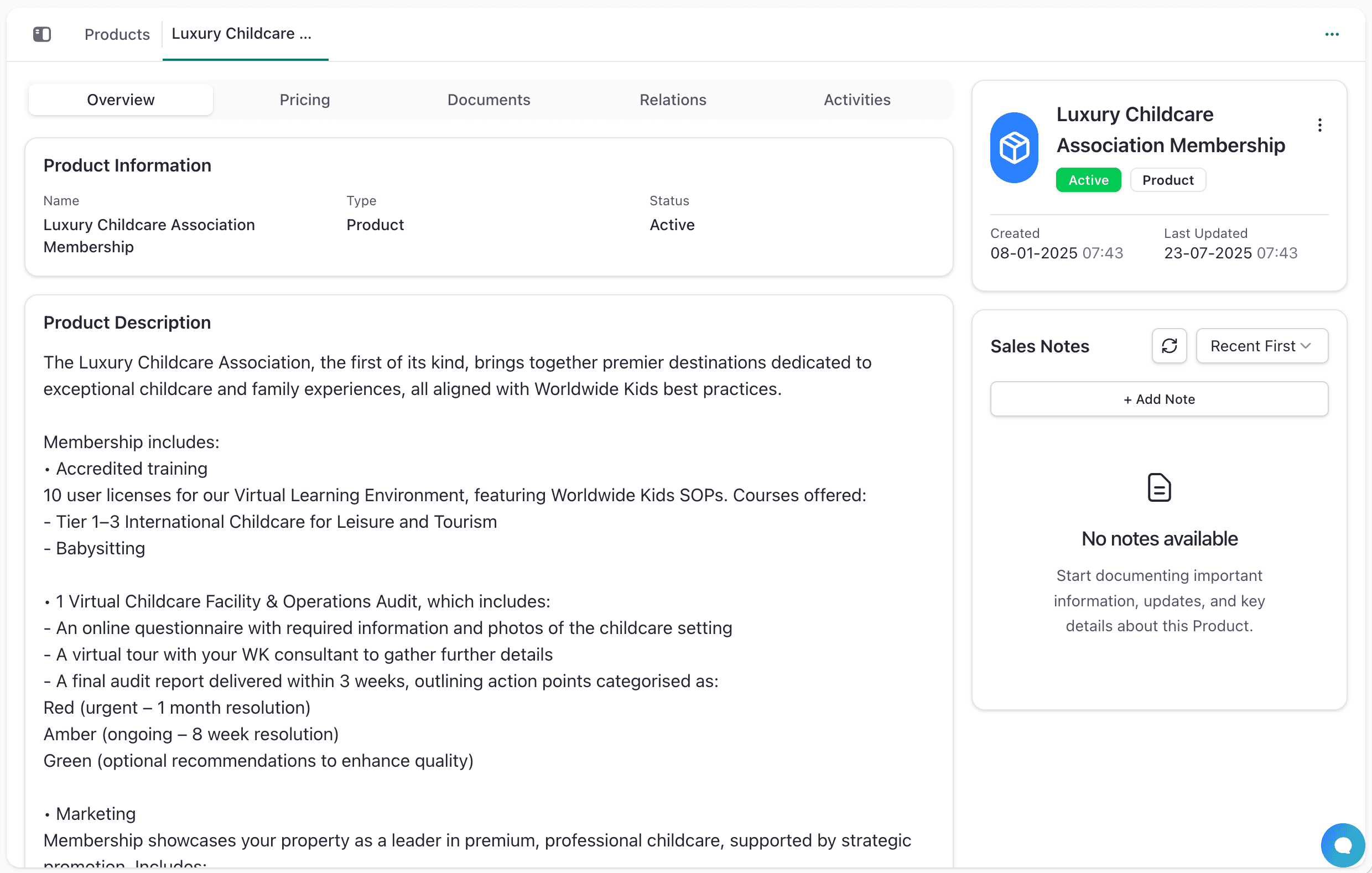
- Overview Tab: Product information, rich text description, custom fields, and timestamps
- Pricing Tab: Multi-currency prices, purchase details, tax settings, and sales notes
- Documents Tab: File uploads, downloads, and management of product-related documents
- Relations Tab: Linked records showing where the product is used in quotations and opportunities
- Activities Tab: Complete timeline of all product changes and modifications
Best Practices
- Organize with Categories: Group products by type, department, or customer segment for easier management
- Keep Pricing Current: Regularly update prices across all currencies and maintain multiple price books for different markets
- Write Clear Descriptions: Provide detailed sales descriptions focusing on benefits and technical purchase specifications
- Use Consistent SKUs: Follow naming conventions with category codes and keep them short and meaningful
- Maintain Accurate Costs: Track cost prices, preferred vendors, and review costs regularly for profitability
Next Steps
Master product management and explore related features: